Airbnb Hidden Cameras: What to Look For
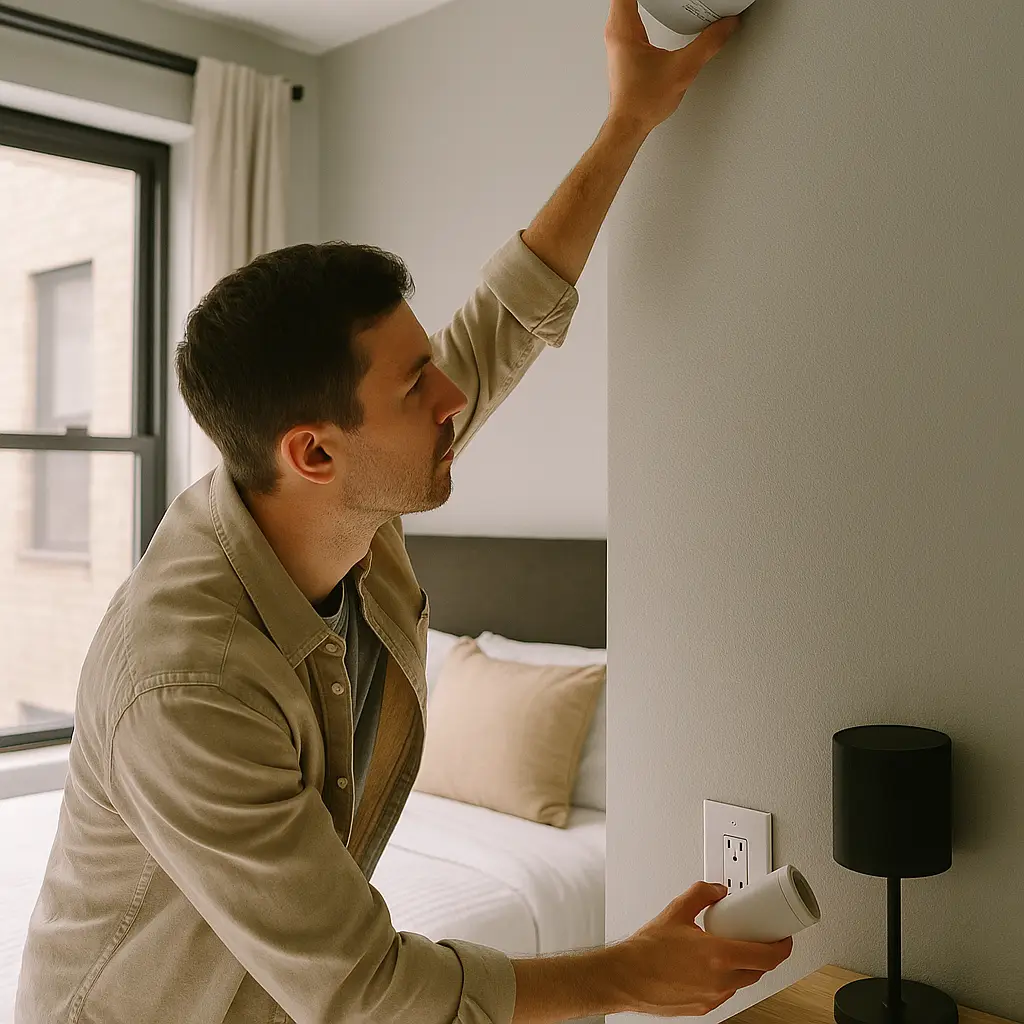
You unlock the Airbnb door, drop your bags, and the first thing you should do is inspect for hidden cameras. Not because every host is recording you, but because the ones who are hide cameras in predictable places, and a 15-minute inspection protects you for the entire stay.
Hidden cameras in rentals are rare but not theoretical. Hosts have been caught recording guests in bedrooms, bathrooms, and changing areas. Airbnb banned indoor security cameras entirely in 2024, but enforcement depends on guests finding violations and reporting them. The platform can't inspect every property, so the first line of defense is you.
This is a practical guide. You'll learn where cameras hide, what to look for, how to inspect common objects, and what to do if you find one. The process takes around 15 minutes and covers the spaces where privacy matters most.
Where Hidden Cameras Actually Hide
Camera concealment follows patterns because hosts need three things: power, a view, and plausible placement. That narrows the options considerably.
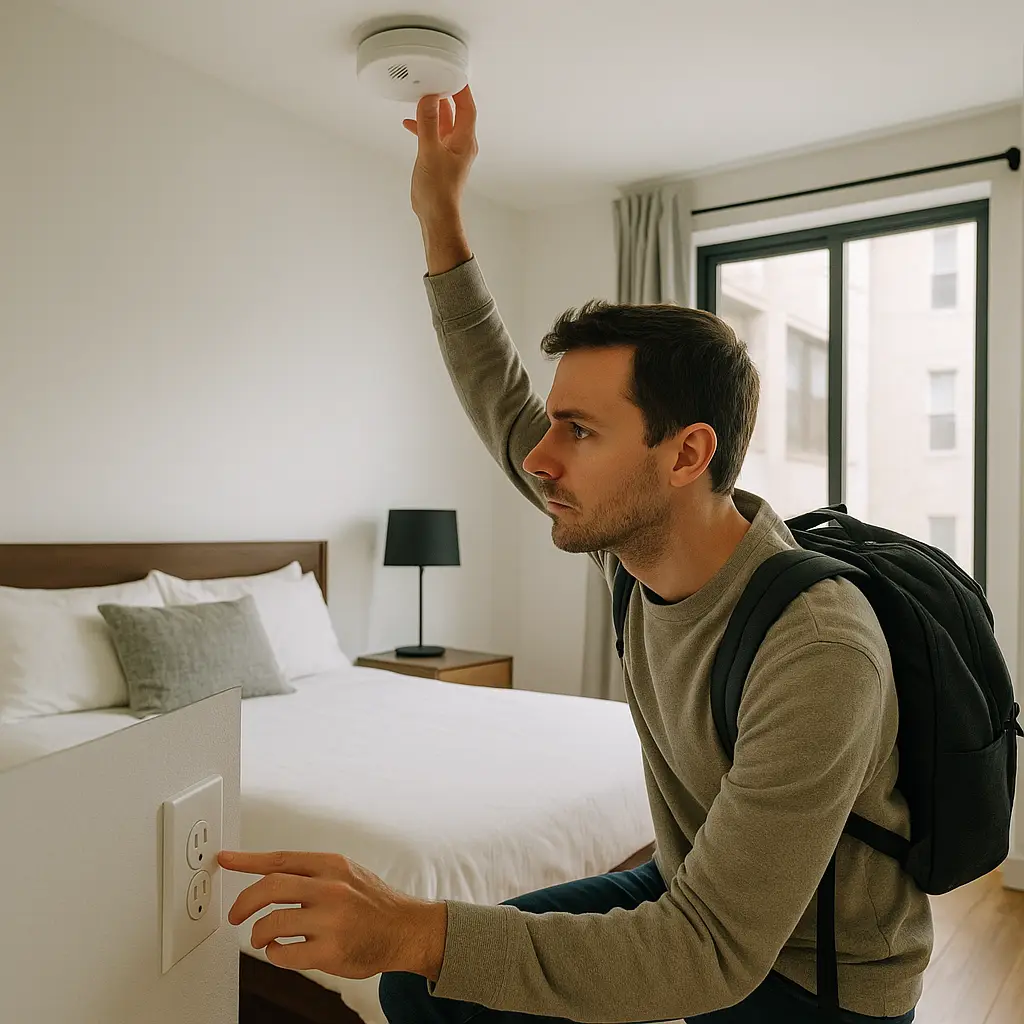
Smoke detectors and carbon monoxide alarms are the most common hiding spots. They mount on ceilings with a clear view of the room, contain batteries or wired power, and no one questions why they're there. Inspect every detector in bedrooms and bathrooms first.
Electrical outlets and USB chargers are next. A camera hidden in a wall outlet has continuous power and sits at waist height with a view of the bed or bathroom. USB charging blocks plugged into outlets work the same way. Check outlets near beds, across from showers, and anywhere with a direct sightline to private spaces.
Clocks, picture frames, and decorative objects on nightstands or dressers are classic concealment. A clock facing the bed doesn't need explanation. A picture frame angled toward the bathroom makes sense as decor. Both can hide pinhole cameras behind the face.
Air purifiers, humidifiers, and standalone speakers contain electronics, require power, and blend into bedroom or bathroom environments. The front grille or display panel can conceal a lens.
Mirrors can hide cameras behind two-way glass, though this is less common in short-term rentals because installation is obvious. One-way mirrors are detectable: press your fingernail against the glass. If there's a gap between your nail and its reflection, it's a standard mirror. If your nail touches its reflection directly, the mirror might be two-way.
Light fixtures and motion sensors mounted on walls or ceilings have power and positioning. Inspect any fixture in a bathroom or bedroom that seems unnecessarily complex for its function.
Anything new or out of place deserves scrutiny. If the rental has a smoke detector in every room except the bedroom, where there's a brand-new air freshener plugged into the wall, inspect the air freshener.
The Physical Inspection Process
Start in the bedroom. Walk through the space and identify every object with a view of the bed, dresser, or anywhere you'd undress. Then inspect each one.
Smoke detectors: Stand on a chair if needed and examine the detector up close. Look for a small lens or pinhole that doesn't match the standard smoke sensor openings. Shine your phone's flashlight at an angle across the face of the detector. A camera lens will reflect light differently than plastic. Some detectors have a small LED that blinks to indicate the battery is working; that's normal. A lens is not.
Electrical outlets: Crouch down and inspect outlets at eye level. Look for a pinhole in the faceplate, usually in the center screw area or along the top edge. Check USB chargers that are already plugged in. Unplug them and examine the front face for lens openings. If the charger feels unusually heavy or has a hole that doesn't align with the USB ports, it might contain a camera.
Clocks and picture frames: Pick them up. A hidden camera adds weight. Feel for unusual heft. Examine the front face for pinholes. Clocks with large digital displays sometimes hide cameras behind the screen. Angle your phone's flashlight across the surface to check for lens reflections.
Objects on shelves or dressers: Anything facing the bed or bathroom is worth inspecting. Look for small holes in the front face, especially in the center or near the top. Check the back for unusual wiring or memory card slots. A decorative object that's plugged into power but doesn't need to be (like a fake plant with a USB cable) is suspicious.
Move to the bathroom and repeat the process. Focus on smoke detectors, outlets, and anything mounted on walls with a view of the shower or toilet. Bathrooms are smaller, so the inspection goes faster, but the stakes are higher. A camera in a bedroom is a violation. A camera in a bathroom is a crime in most jurisdictions.
Check common areas last, but only if you care. Cameras in living rooms or kitchens are less invasive and were sometimes allowed under Airbnb's old policies (disclosed outdoor and common-area cameras were permitted). If you find one, it still must be disclosed in the listing. If it wasn't, that's a violation worth reporting.
Using Your Phone to Detect Cameras
Your phone has two tools that help: the flashlight and the camera itself.
Flashlight method: Turn off the room lights. Shine your phone's flashlight slowly across smoke detectors, outlets, clocks, and other objects. A camera lens reflects light in a distinct way, usually a small, bright pinpoint that stands out from the surrounding plastic or metal. This works best in a dark room where reflections are easier to spot.
Infrared detection method: Some hidden cameras use infrared LEDs for night vision. These LEDs are invisible to the human eye but visible through your phone's camera. Turn off the lights, open your phone's camera app (front-facing camera works better because it often lacks an IR filter), and slowly scan the room. Infrared LEDs will appear as small purple or white dots on your screen. This method isn't foolproof, many modern cameras don't use IR, and some phones filter it out, but it's worth trying.
Apps that claim to detect hidden cameras by scanning WiFi networks or electromagnetic fields are mostly theater. A camera on a separate network or recording to a local SD card won't show up in a WiFi scan. Electromagnetic field detectors produce so many false positives from normal electronics that they're not useful. Stick to physical inspection and the flashlight method.
What to Do If You Find a Camera
Document it immediately. Take photos of the camera, its location, and any identifying features (brand, model, wiring). Don't touch it beyond what's necessary to confirm it's a camera. Don't unplug it or remove it from the wall. You want evidence of how it was positioned and what it could see.
Leave the property if the camera is in a bedroom or bathroom. Pack your belongings and check into a hotel. Your safety and privacy matter more than the inconvenience.
Contact Airbnb support through the app or website. Report the violation, upload your photos, and explain what you found. Airbnb's policy is clear: indoor cameras are banned. The company will investigate, refund your stay, help you find alternative accommodation, and potentially remove the host from the platform.
File a police report if the camera was in a bathroom, bedroom, or any space where you had a reasonable expectation of privacy. Voyeurism laws vary by jurisdiction, but recording someone in a private space without consent is illegal in most places. Bring your documentation. The police report creates a legal record and may lead to criminal charges.
Check your bank and credit card statements after you leave. If a host is willing to hide cameras, they might engage in other violations. Watch for unauthorized charges.
Review the listing carefully before you booked. If the host disclosed the camera in the listing description and you missed it, your legal position is weaker (though Airbnb's current policy still bans indoor cameras regardless of disclosure). If there was no disclosure, you have a clear violation.
The Ocean's Eleven Problem
In Ocean's Eleven, the crew spends weeks planning the casino heist by studying the security system, mapping camera locations, and timing guard rotations. They succeed because they know exactly where the cameras are and how to avoid them.
Your rental inspection is the inverse. You're not planning a heist; you're checking whether someone planned one against you. The methodology is the same: systematic coverage, attention to sightlines, and understanding what surveillance equipment looks like when someone wants it hidden. The casino's cameras are obvious because they're meant to deter. A hidden camera in your Airbnb only works if you don't find it.
The difference is stakes. Danny Ocean risks arrest. You risk being recorded in your most private moments by a stranger who violated your trust and the platform's rules. The inspection takes 15 minutes. The alternative is spending your entire stay wondering.
What Airbnb's Policy Actually Covers
Airbnb banned indoor security cameras in April 2024. The policy is absolute: no cameras inside the rental, regardless of disclosure, regardless of placement, regardless of whether they're turned on.
Outdoor cameras are still allowed but must be disclosed in the listing before you book. The disclosure must specify the camera's location (front door, driveway, backyard). If you arrive and find an outdoor camera that wasn't disclosed, that's a violation.
Noise monitoring devices are allowed in indoor common areas (living rooms, hallways) but must be disclosed. These devices detect decibel levels to enforce quiet hours but don't record audio or video. If you find a noise monitor that wasn't disclosed, report it.
Doorbell cameras (Ring, Nest) are common and allowed as outdoor devices. They must be disclosed. If the doorbell camera has a view into the interior of the home (through a window or open door), that's a gray area worth reporting.
The policy applies to all hosts, all properties, all stays. There's no exemption for long-term rentals, shared spaces, or properties where the host lives on-site. If you're paying for private accommodation through Airbnb, indoor cameras are not allowed.
Enforcement depends on guest reports. Airbnb can't inspect every property, so violations persist until someone finds the camera and reports it. Your inspection protects you and helps enforce the policy for future guests.
Cameras You Won't Find
Not every privacy threat is a camera. Some hosts use other methods to monitor guests, and while these aren't hidden cameras, they're worth understanding.
WiFi monitoring can track which devices connect to the network and log browsing activity if the router is configured for it. This doesn't record video, but it can reveal what websites you visit and when. Use a VPN if you're concerned, or use your phone's cellular data instead of the rental's WiFi.
Smart home devices (Alexa, Google Home) can record audio if configured to do so, though most don't by default. If you see a smart speaker in the bedroom, unplug it or move it to another room. The same goes for smart TVs, which can have built-in cameras and microphones.
Outdoor cameras with audio are less common but legal in many jurisdictions. If the outdoor camera has a microphone and records conversations on the porch or patio, that might violate wiretapping laws depending on your state. Check the listing disclosure for details.
Neighbors sometimes report guest activity to hosts, especially in residential areas where short-term rentals are controversial. This isn't surveillance in the technical sense, but it's worth knowing that visible behavior (loud parties, late-night arrivals) might get back to the host.
None of these are hidden cameras, and none require the same inspection process. But they're part of the broader privacy landscape in short-term rentals.
When to Skip the Rental Entirely
Some listings signal higher risk before you book. Here's what to watch for.
Vague or missing house rules around privacy, cameras, or monitoring. A detailed listing that explains the outdoor camera policy and noise monitor placement shows the host understands disclosure requirements. A listing that's silent on these topics might mean the host doesn't care about the rules.
Recent negative reviews mentioning privacy concerns. If multiple guests report feeling watched, finding undisclosed cameras, or experiencing boundary violations, believe them. One review might be an outlier. Three reviews is a pattern.
Hosts who message excessively before arrival with questions about your plans, who you're traveling with, or what you'll be doing. Excessive interest in your personal life can signal a host who doesn't respect boundaries.
Properties in jurisdictions where short-term rentals face heavy restrictions. Hosts operating in legal gray areas sometimes feel less accountable to platform rules. This isn't universal, but it's a factor.
Listings with unusually low prices for the area. If a rental is significantly cheaper than comparable properties, ask why. Sometimes it's because the host is new and building reviews. Sometimes it's because the host cuts corners on safety, privacy, or legal compliance.
Trust your instinct. If something feels off about the listing, the photos, or the host's communication, book somewhere else. The inspection process works, but avoiding a bad rental in the first place is better.
What Happens After You Report
Airbnb's response to hidden camera reports follows a standard process, though timelines and outcomes vary.
Immediate support: When you report a camera, Airbnb's trust and safety team contacts you within hours (sometimes minutes). They'll ask for photos, details about the camera's location, and confirmation that you've left the property. They'll arrange alternative accommodation and process a refund for the original booking.
Host investigation: Airbnb contacts the host, requests an explanation, and may suspend the listing while they investigate. If the host admits to the camera or the evidence is clear, Airbnb removes the host from the platform. If the host denies it and the evidence is ambiguous, the investigation takes longer.
Refund and reimbursement: You'll receive a full refund for the canceled booking and reimbursement for the alternative accommodation (up to a reasonable limit). If you incurred other costs (meals, transportation) because of the violation, Airbnb may cover those as well.
Platform removal: Hosts who violate the indoor camera ban face permanent removal from Airbnb. This isn't a warning or temporary suspension. The policy is zero-tolerance.
Legal referral: Airbnb cooperates with law enforcement when guests file police reports about hidden cameras. The company provides documentation, evidence, and host information to support criminal investigations.
The process works, but it's reactive. Airbnb can't prevent violations; it can only respond after guests find them. That's why the inspection matters.
The 15-Minute Routine
Here's the condensed version for travelers who want a fast, effective inspection.
Minute 1-3: Bedroom smoke detectors and outlets. Inspect ceiling-mounted detectors and wall outlets near the bed. Use your phone's flashlight to check for lens reflections.
Minute 4-6: Bedroom objects with a view. Check clocks, picture frames, air purifiers, and anything on a nightstand or dresser facing the bed.
Minute 7-9: Bathroom smoke detectors and outlets. Repeat the bedroom process in the bathroom, focusing on detectors and outlets with a view of the shower or toilet.
Minute 10-12: Bathroom objects and fixtures. Inspect mirrors (fingernail test), light fixtures, and any decorative objects on shelves or counters.
Minute 13-15: Common areas (optional). If you care about living room or kitchen monitoring, check smoke detectors and outlets there. Otherwise, skip this step.
That's it. Fifteen minutes of focused inspection covers the spaces where privacy violations are most likely and most harmful.
What You Can't Control
Some privacy risks in rentals are outside your ability to inspect or prevent.
Cameras hidden in structural elements (inside walls, above ceiling tiles) are rare because installation is difficult and expensive, but they exist. If you suspect structural concealment, you'd need professional detection equipment to find it. This is beyond the scope of a guest inspection.
Cameras outside the rental (across the street, in neighboring buildings) that happen to have a view into your windows. You can close curtains and blinds, but you can't control what neighbors do on their own property.
Hosts who access the property during your stay. Airbnb's policy requires hosts to give advance notice before entering, but enforcement depends on guests reporting violations. If a host enters without permission, that's a separate violation worth reporting, but it's not something you can prevent through inspection.
Data collected through smart home devices you choose to use. If you connect your phone to the rental's Alexa or Google Home, you're opting into whatever data collection those devices perform. Don't use them if you're concerned.
The inspection process addresses the threats you can detect and control. The rest is risk you accept by staying in someone else's property.
When the Inspection Ends
You've checked the bedroom, bathroom, and common areas. You didn't find anything. Now you can unpack, settle in, and stop thinking about cameras.
The inspection isn't paranoia. It's a reasonable response to documented violations that happen often enough to warrant a platform-wide ban. The process takes 15 minutes, requires no special equipment, and protects you for the entire stay.
If you do find a camera, you know what to do: document, leave, report, and file a police report if needed. If you don't find one, you've confirmed the space is safe and you can relax.
Either way, you're not wondering. And that's worth 15 minutes.