AI Noise Cancellation: What Krisp Actually Records
You're on a video call from your kitchen. The dishwasher runs. Your neighbor mows the lawn. A siren passes outside. You hit the noise cancellation button, and suddenly your voice comes through crystal clear while everything else vanishes.
AI noise cancellation tools like Krisp promise to solve the acoustic chaos of remote work. They use machine learning models to distinguish your voice from background sound, filtering out everything that isn't speech in real time. The technology works remarkably well. But that capability raises an obvious question: if the software can identify and isolate your voice with such precision, what else is it capturing?
The answer matters because these tools sit between you and every conversation you have. Email encryption protects messages after you send them. VPNs shield your browsing after you connect. But noise cancellation processes your audio while you're speaking, before it reaches the other person on the call. Understanding what happens during that processing determines whether you're comfortable using these tools for work meetings, personal calls, or conversations that handle sensitive information.
Here's what actually happens to your voice data when you enable AI noise cancellation, what gets stored, what stays local, and what you can verify before your next call.
How AI Noise Cancellation Actually Works
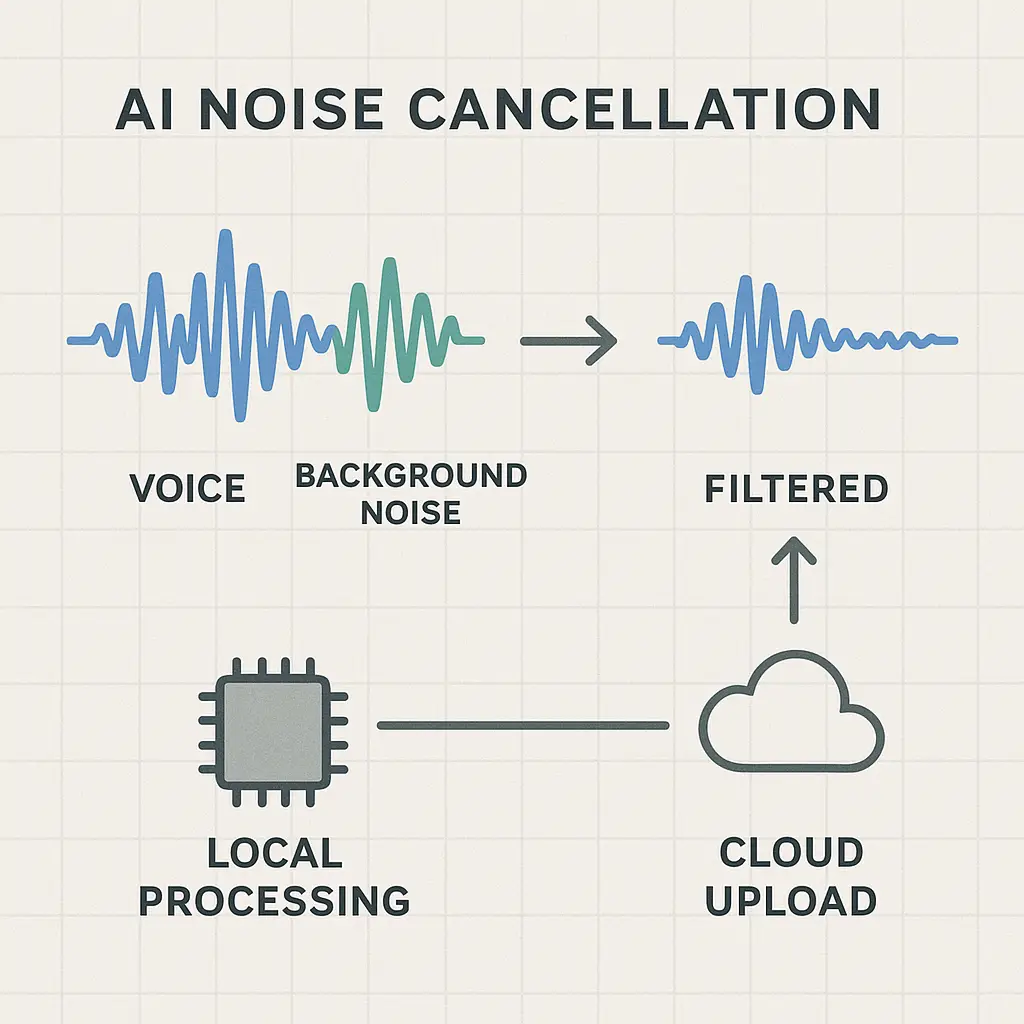
Krisp and similar tools use trained machine learning models to separate human speech from other sounds. The model analyzes incoming audio in real time, identifies patterns that match voice frequencies and speech rhythms, and suppresses everything else.
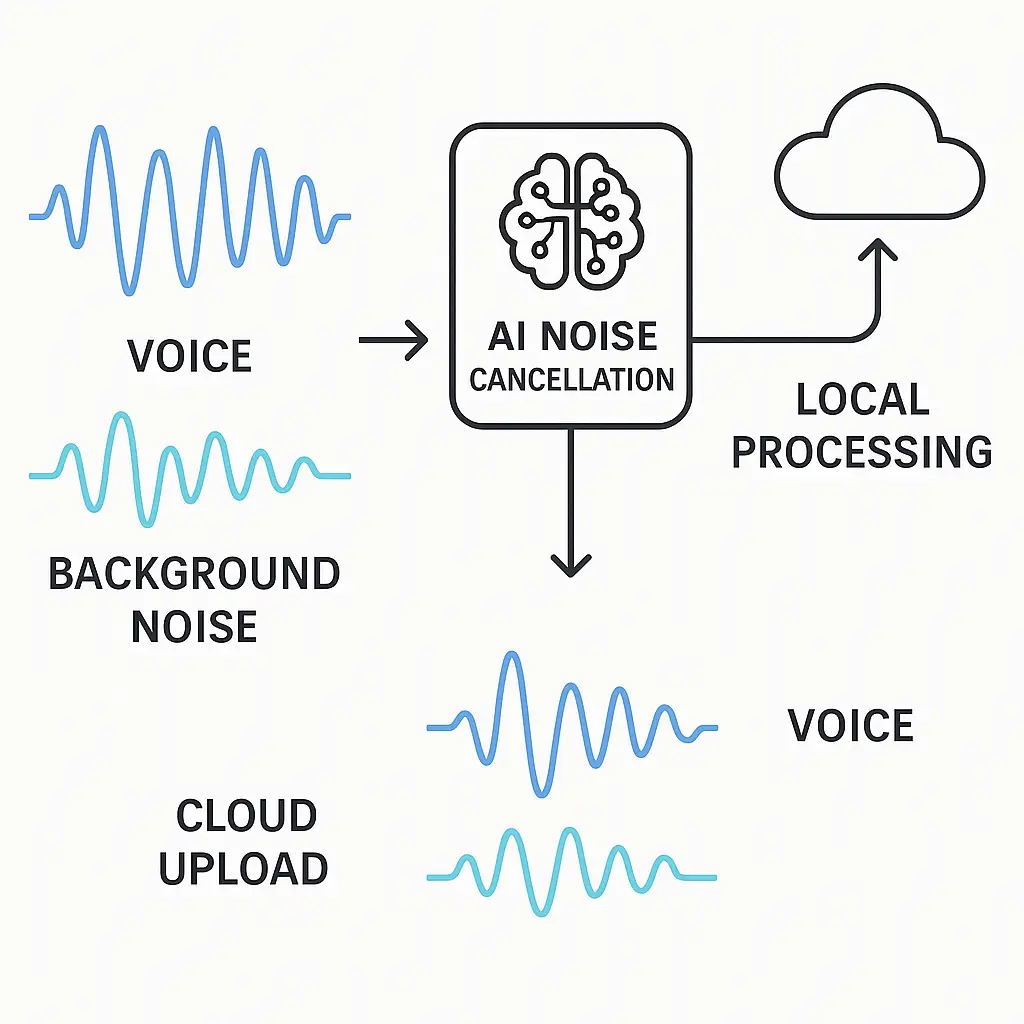
The processing happens locally on your device. The audio stream enters your microphone, passes through the noise cancellation model running on your CPU or GPU, and exits as a cleaned signal that feeds into Zoom, Teams, or whatever call platform you're using. The model doesn't send audio to external servers during this process. It runs the entire operation on your laptop.
This architecture matters because it determines what data leaves your device. If noise cancellation required cloud processing, every word you spoke would upload to a remote server for analysis before returning as cleaned audio. That would create a permanent record of your conversations on someone else's infrastructure. Local processing avoids that exposure. The audio enters, gets filtered, and exits without ever leaving your machine.
But local processing doesn't mean zero data collection. The distinction between processing audio and storing audio is where the privacy calculus gets complicated.
What Krisp Actually Collects
Krisp's privacy policy states the company doesn't record or store the content of your calls. The noise cancellation happens locally, and the audio itself doesn't persist on Krisp's servers.
What does get collected:
Account data. Your email address, name, payment information if you're a paid user, and authentication credentials. Standard for any service that requires login.
Usage metrics. Session duration, how often you activate noise cancellation, which features you use, and when you enable or disable the tool. This telemetry tracks behavior patterns without capturing what you actually said.
Technical diagnostics. Device identifiers, operating system version, Krisp app version, crash reports, and performance data. This information helps the company debug issues and optimize the software.
Optional cloud features. If you enable Krisp's meeting transcription or recording features, those create stored content. But these are opt-in capabilities separate from basic noise cancellation. The core function of filtering background sound doesn't require or create recordings.
The difference between processing and storing is critical. Your voice passes through Krisp's AI model every time you speak on a call, but that processing doesn't automatically mean the company retains a copy. The model analyzes the audio, applies the filter, and discards the input. What persists is metadata about the session, not the conversation itself.
This is similar to how a VPN works. Your traffic passes through the VPN server, but a no-log VPN doesn't keep records of what sites you visited. The processing happens, the data moves through, and nothing stays behind. Krisp's architecture follows the same principle for audio.
The Employer Visibility Question
If you're using Krisp through a company account, your employer can see more than you might expect.
Organizations that deploy Krisp for their teams get access to an admin dashboard. That dashboard shows which employees use the tool, how often they activate it, session durations, and feature adoption rates. This is standard enterprise software telemetry. Your employer can see that you used noise cancellation during a 47-minute call on Tuesday afternoon. They can't hear what you said.
The distinction matters because it separates activity monitoring from content surveillance. Your company knows you're on calls and using tools to improve audio quality. They don't gain access to the actual conversations unless the call platform itself records meetings, which is a separate question governed by Zoom, Teams, or Google Meet policies.
But if your employer requires Krisp as part of a managed software deployment, they control the account. That means they can enable or disable features, push updates, and potentially require certain settings. If the company account includes optional recording features and your employer turns those on, the content question changes. Always check what capabilities your organization has activated beyond basic noise cancellation.
For personal accounts, none of this applies. You control the settings, you see the dashboard, and no one else gets access to your usage data. The employer visibility issue only exists when you're using Krisp through a company-managed account.
What Happens During the Call
When you're on a video call with noise cancellation enabled, here's the actual data flow:
- Your voice enters the microphone.
- The audio stream routes to Krisp's local processing engine.
- The AI model analyzes the waveform, identifies speech, and suppresses non-speech sounds.
- The cleaned audio exits Krisp and enters your call platform (Zoom, Teams, etc.).
- The call platform handles the audio according to its own policies, encryption, recording, storage, whatever that service does.
Krisp sits between your microphone and the call. It processes the audio, but it doesn't control what happens after the cleaned signal reaches the other service. If Zoom records the meeting, that's Zoom's decision and Zoom's storage. If Teams transcribes the conversation, that's Microsoft's feature and Microsoft's servers. Krisp doesn't see or store what happens downstream.
This is important because people often conflate the tools in their stack. "I used Krisp, so did Krisp record my call?" No. But if you used Krisp and Zoom and Zoom's recording was on, then Zoom recorded it. Krisp filtered the background noise, but the recording decision happened elsewhere.
The same logic applies to transcription. If you enable Krisp's optional transcription feature, Krisp stores that transcript. If you enable Zoom's transcription feature, Zoom stores it. If you enable both, both services store it. The noise cancellation itself doesn't create a transcript. You have to explicitly turn on a separate feature that does.
The AI Model Training Question
Machine learning models improve through training on data. That raises the question: does Krisp use your audio to train its noise cancellation algorithms?
According to the company's privacy documentation, Krisp doesn't use call content to train its models. The audio processing happens locally, and the content doesn't upload to servers where training happens.
What does get used for improvement: aggregated, anonymized usage patterns. If thousands of users activate noise cancellation during calls that last around 30 minutes, that pattern might inform product decisions about default settings or feature placement. But that's behavioral data, not audio content.
This distinction mirrors how other privacy-focused tools operate. Signal encrypts your messages and doesn't use conversation content to improve its algorithms. ProtonMail encrypts your email and doesn't scan it for product development. Krisp processes your audio locally and doesn't feed it into model training pipelines.
But the distinction only holds if the company's architecture and policies actually match the documentation. You're trusting Krisp's claims about what happens to your data because you can't directly verify that audio stays local. That's true for any software that processes sensitive information. At some point, trust becomes a necessary component of the decision.
When Local Processing Isn't Enough
Local processing solves the "does this upload my conversations" question, but it doesn't address every privacy concern.
If your device gets compromised, malware, physical access, or a vulnerability in the operating system, local processing doesn't protect you. An attacker with access to your machine can capture audio before it reaches Krisp, during processing, or after it exits. The noise cancellation model runs in user space, not some protected enclave. If someone controls your device, they control everything that happens on it.
This matters for high-stakes conversations. If you're discussing material that would create serious consequences if exposed, legal strategy, medical information, whistleblower communications, financial negotiations, adding another layer of software to your audio pipeline increases the attack surface. Krisp itself might be secure, but it's one more component that could fail, leak, or get exploited.
For most professional calls, this risk is theoretical. The convenience of clear audio without background noise outweighs the marginal increase in exposure. But for truly sensitive conversations, consider whether any AI processing is acceptable. Sometimes the lowest-risk option is a quiet room with no software between you and the microphone.
Comparing Krisp to Built-In Noise Cancellation
Zoom, Teams, and Google Meet all offer built-in noise cancellation. How does that compare to Krisp's approach?
Built-in noise cancellation processes audio on the call platform's servers. Your voice uploads, gets filtered in the cloud, and streams to other participants. This means the platform sees your audio before and after processing. If the platform logs data, stores recordings, or uses audio for model training, that happens on their infrastructure.
Krisp processes audio locally before it reaches the call platform. The platform only sees the cleaned signal. This limits what the call service can capture, but it doesn't eliminate visibility entirely. The platform still receives your voice data, it's just already been filtered by the time it arrives.
The tradeoff is control versus convenience. Built-in noise cancellation requires no extra software, no separate account, and no additional configuration. Krisp requires installation, a subscription for full features, and trusting a third party with your audio pipeline. But Krisp gives you more control over what the call platform sees and more transparency about what gets processed where.
If you're already using Zoom or Teams and you're comfortable with their data handling, their built-in noise cancellation is the simpler choice. If you want to limit what those platforms can access, Krisp's local processing offers an extra layer of separation.
What You Can Actually Verify
You can't audit Krisp's source code. You can't inspect the AI model to confirm it doesn't log audio. You can't verify that local processing stays local without reverse engineering the software.
What you can verify:
Network activity. Use a packet analyzer like Wireshark to monitor what data Krisp sends during a call. If you see large audio uploads during noise cancellation, that contradicts the local processing claim. If you see small telemetry packets, that matches the documented behavior.
Account dashboard. Log into Krisp's web interface and review what data the company stores about your usage. You'll see session logs, feature activation, and account details. You won't see transcripts or recordings unless you've explicitly enabled those features.
Privacy policy changes. Krisp's privacy policy includes a version date and change log. Check periodically to see if data collection practices have shifted. Companies sometimes expand what they collect as products evolve.
Third-party audits. Look for independent security assessments or privacy certifications. Krisp hasn't published results from external audits as of 2026, but that could change. Third-party validation matters more than company claims.
These verification methods don't give you perfect certainty, but they give you more information than just reading marketing copy. Combine technical inspection with policy review and you get a clearer picture of what's actually happening.
The Broader AI Audio Processing Landscape
Krisp isn't the only tool processing your voice with AI. Meeting transcription services capture everything said in calls. Voice assistants listen for wake words. Smart speakers process commands in the cloud. Phones use voice recognition for dictation and search.
Each tool handles audio differently. Some process locally. Some upload everything. Some store transcripts. Some discard audio after processing. The specific architecture determines what privacy tradeoffs you're accepting.
In The Fellowship of the Ring, Galadriel's mirror shows possible futures, but the viewer must choose whether to look and how to interpret what they see. AI audio tools offer similar choices: you decide whether to enable processing, which features to activate, and how much convenience justifies the exposure. The technology itself is neutral. The privacy outcome depends on how you configure and use it.
Krisp's local processing model puts it on the more privacy-preserving end of the spectrum. But "more private than cloud transcription" doesn't mean "private in absolute terms." It means the exposure is different and, for many use cases, more acceptable.
What to Do Before Your Next Call
If you're using Krisp or considering it, here's what to check:
Review your account type. Personal accounts give you full control. Company accounts give your employer visibility into usage patterns. Know which you have and what that means for your privacy.
Check enabled features. Basic noise cancellation processes locally and doesn't create recordings. Optional features like transcription and cloud recording do store content. Make sure you know what's turned on.
Audit your call platform. Krisp filters audio before it reaches Zoom, Teams, or Meet. But those platforms have their own recording, transcription, and data policies. Understand what happens after the cleaned audio leaves Krisp.
Verify network activity. If you're handling sensitive information, monitor what data Krisp sends during calls. Packet inspection tools show whether large uploads contradict local processing claims.
Read the privacy policy. Krisp's policy explains what data gets collected, how it's used, and how long it's retained. The document is more informative than most marketing pages.
Consider your threat model. For routine work calls, Krisp's privacy tradeoffs are reasonable. For high-stakes conversations, evaluate whether any AI processing is acceptable.
Most people will find Krisp's approach acceptable for professional use. The tool solves a real problem, background noise makes remote work harder, and it does so with local processing that limits data exposure. But acceptable doesn't mean risk-free. Understanding what happens to your audio lets you make an informed decision about whether the convenience is worth the tradeoff.